AI – Learner Chatbot: Learning Buddy
Starting with version 5.0.0, nectar LMS offers Learning Buddy as a paid add-on option—an AI-powered learning assistant that helps learners understand content at any time.
Learning Buddy with AI-supported assistance helps learners better understand learning content, clarify questions, and search for specific information.
What can Learning Buddy do?
- Learners can ask Learning Buddy questions about the learning content – whether it’s courses (WBT), text pages, videos (MP4), audio files (MP3), or PDF documents.
- The Learning Buddy can be trained with the content of the learner’s courses, thereby providing helpful answers with the appropriate context.
- When answering a question, the Learning Buddy can provide a link to the corresponding learning unit so that learners can immediately delve deeper into the topic.
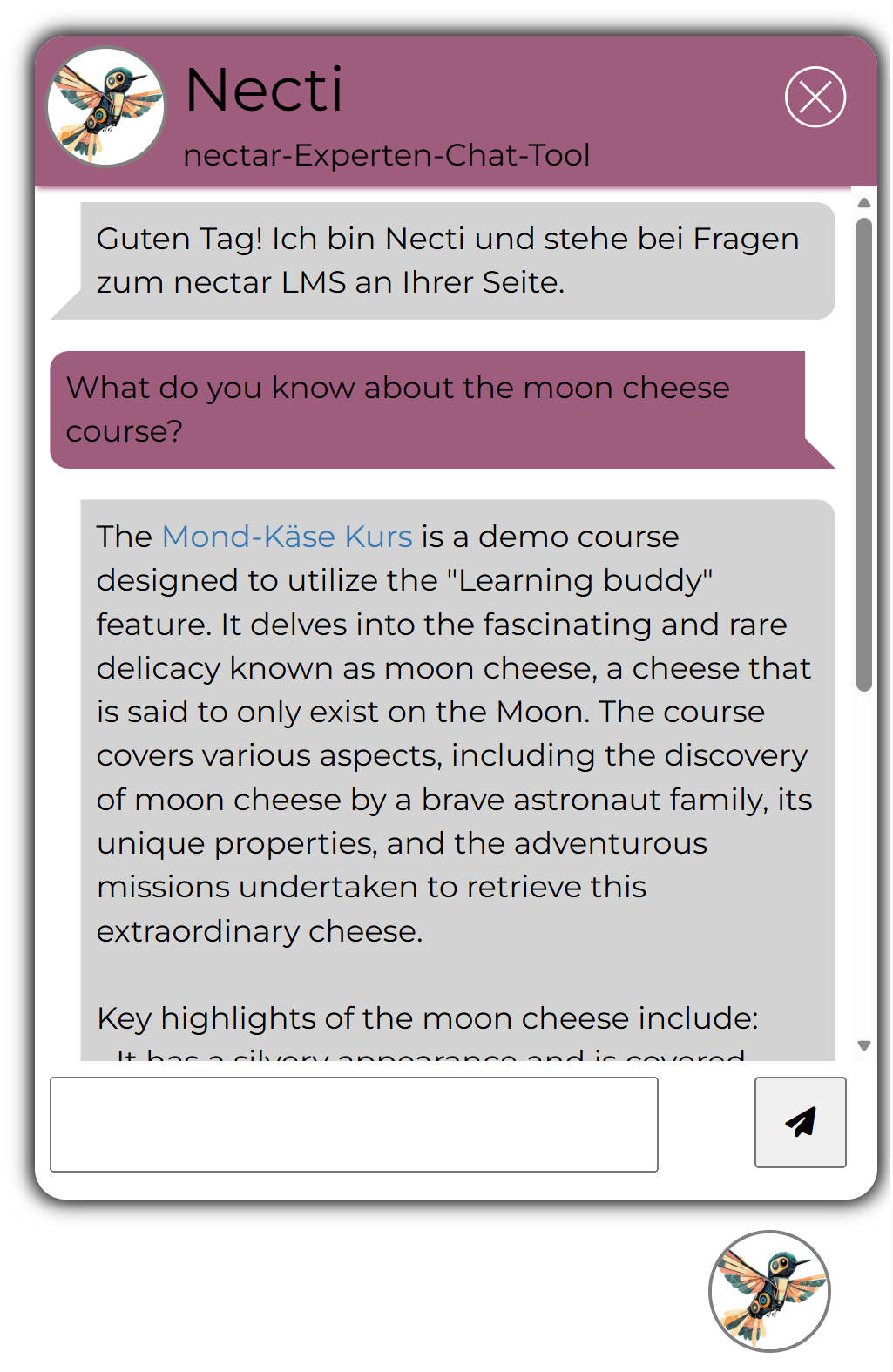
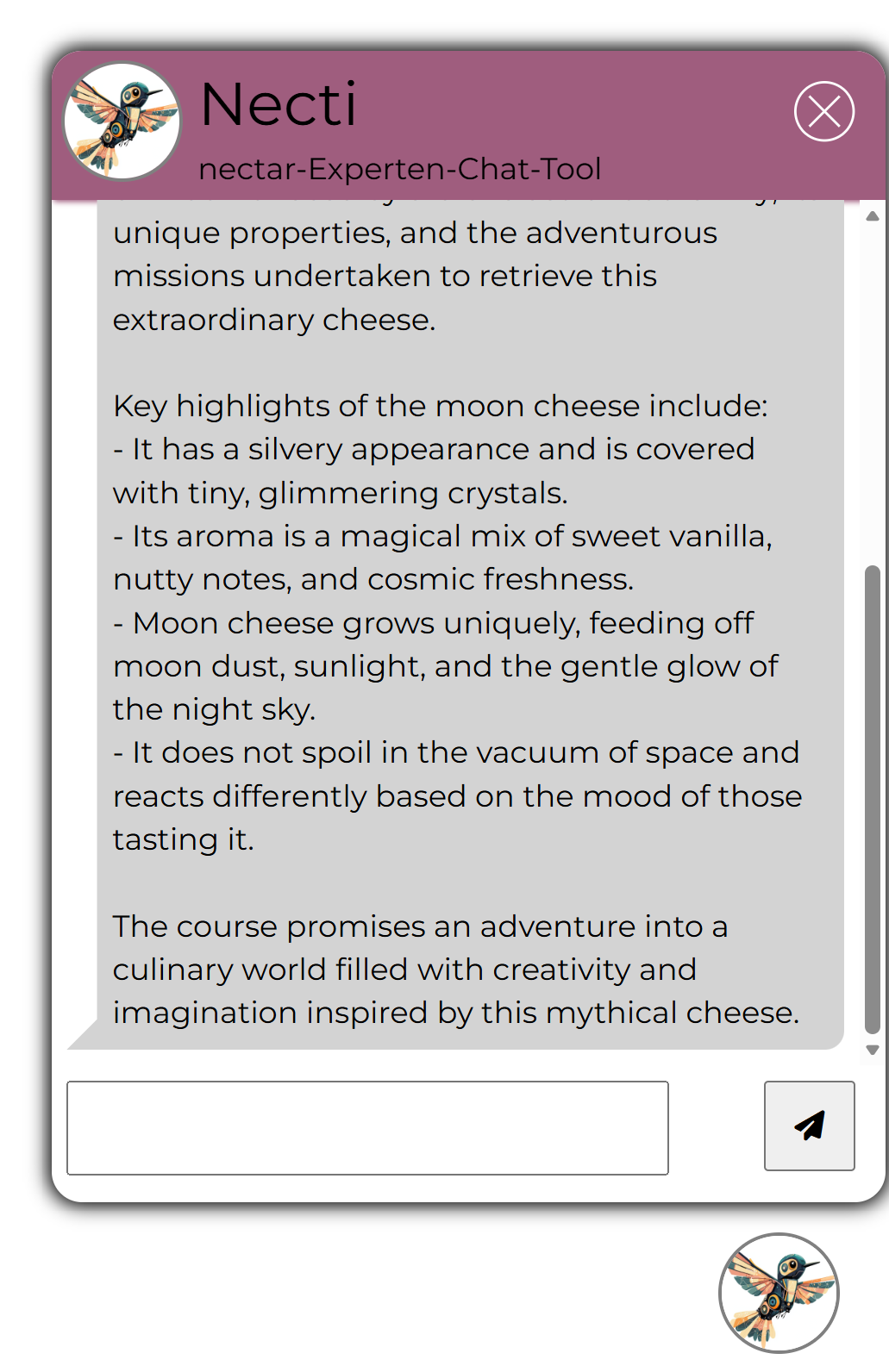
What is the Learning Buddy allowed to do?
For each answer, the Learning Buddy only takes into account the content that the respective learner actually has access to. In this way, the Learning Buddy ensures that only relevant and accessible content is displayed.
How does the Learning Buddy learn?
It learns automatically from PDFs, pages, and media (MP3, MP4) if the AI functions are activated.
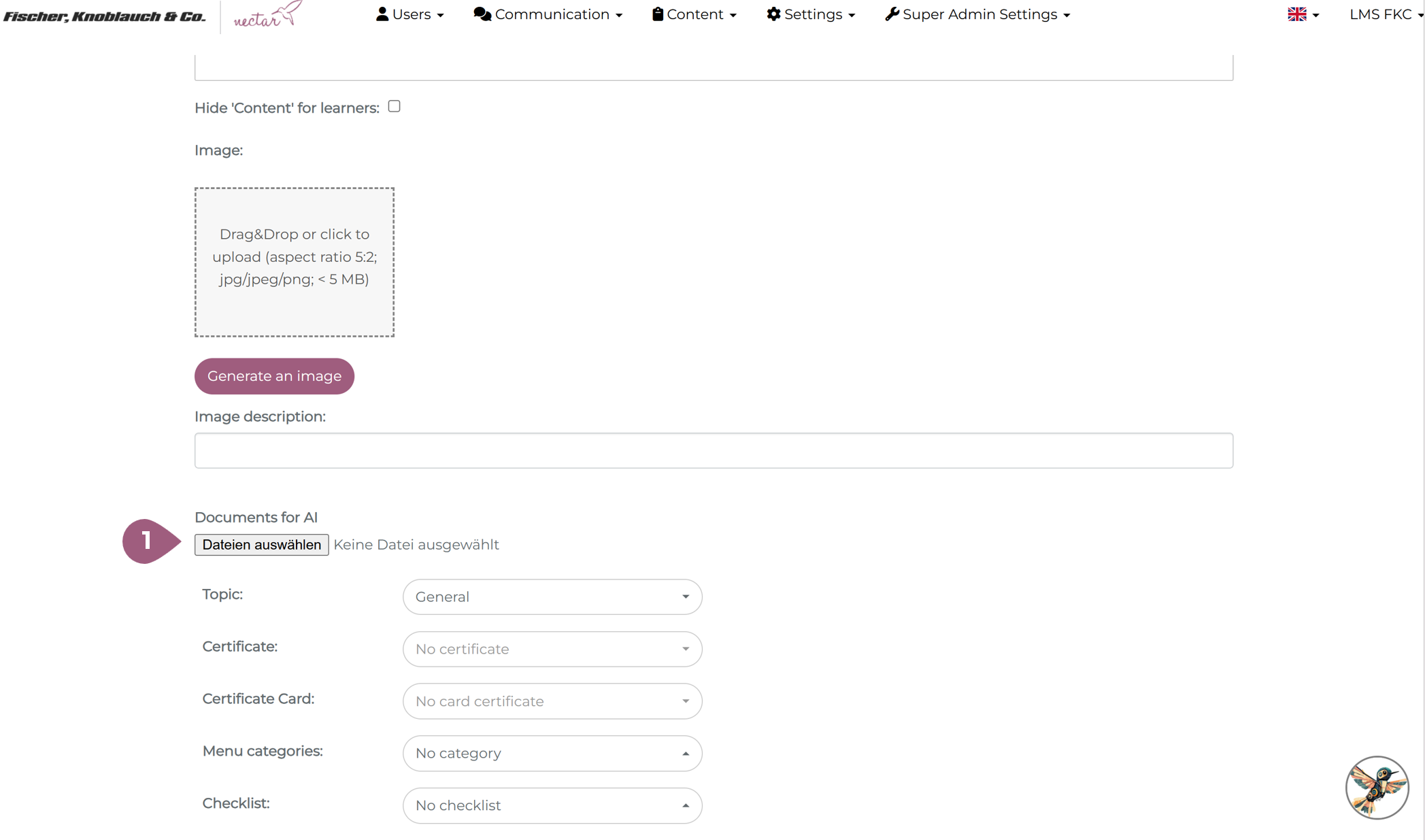
Administrators have the option of uploading documents to courses (WBTs). This content is used by the Learning Buddy to improve the quality and relevance of the answers. This can be done in the general settings when creating or editing a course (1):
When creating or updating a learning unit, the Learning Buddy is automatically provided with the new content.