Chat room
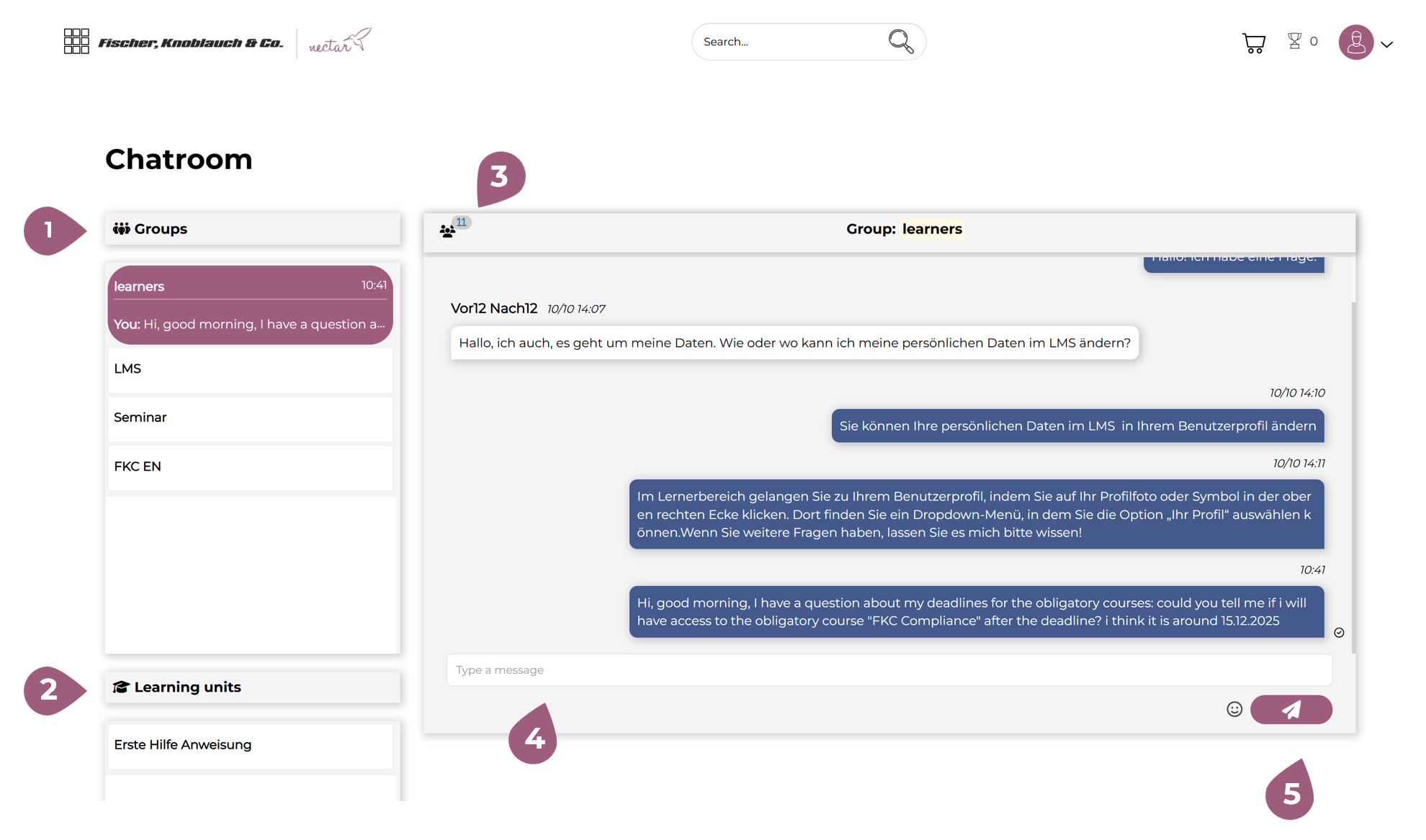
Under “Chat Room,” you will see your chat rooms:
- for the groups (1) you are assigned to,
- for the learning units (2) assigned to you:
Using the button (3), you can see at any time how many and which users have access to this chat.
In the white field (4), you can write directly in any group and send it to the corresponding group members using the arrow button (5).