Create and Manage Rooms
Rooms (Physical meetings only)
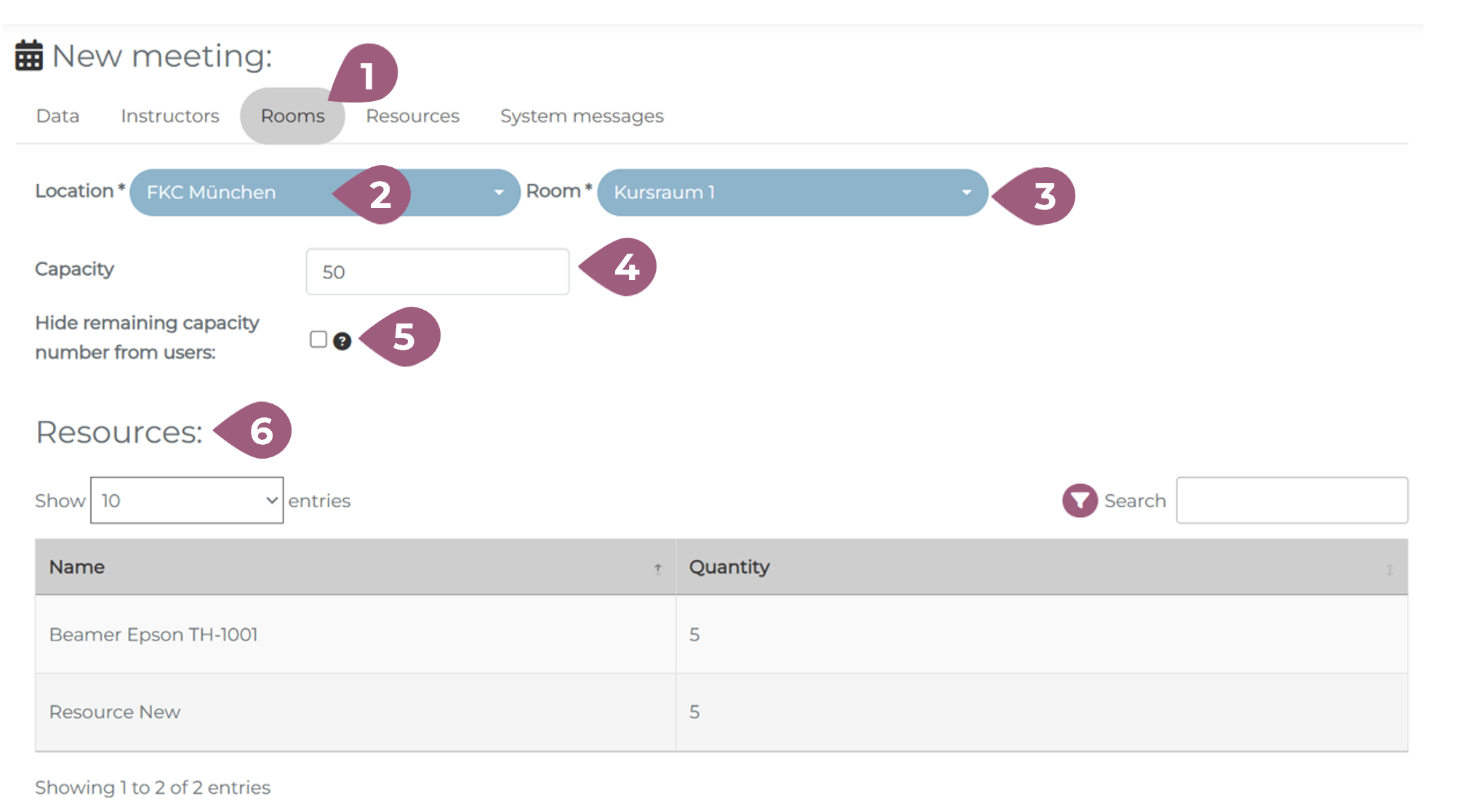
For physical meetings, the next step is to assign a Room for the meeting (1). It is possible to choose both the location (2) and the room (3) at that location. The capacity of the room (4) can also be changed. Should you choose, it is possible to hide the remaining capacity information from the users (5). The resources available at this location are also displayed (6).
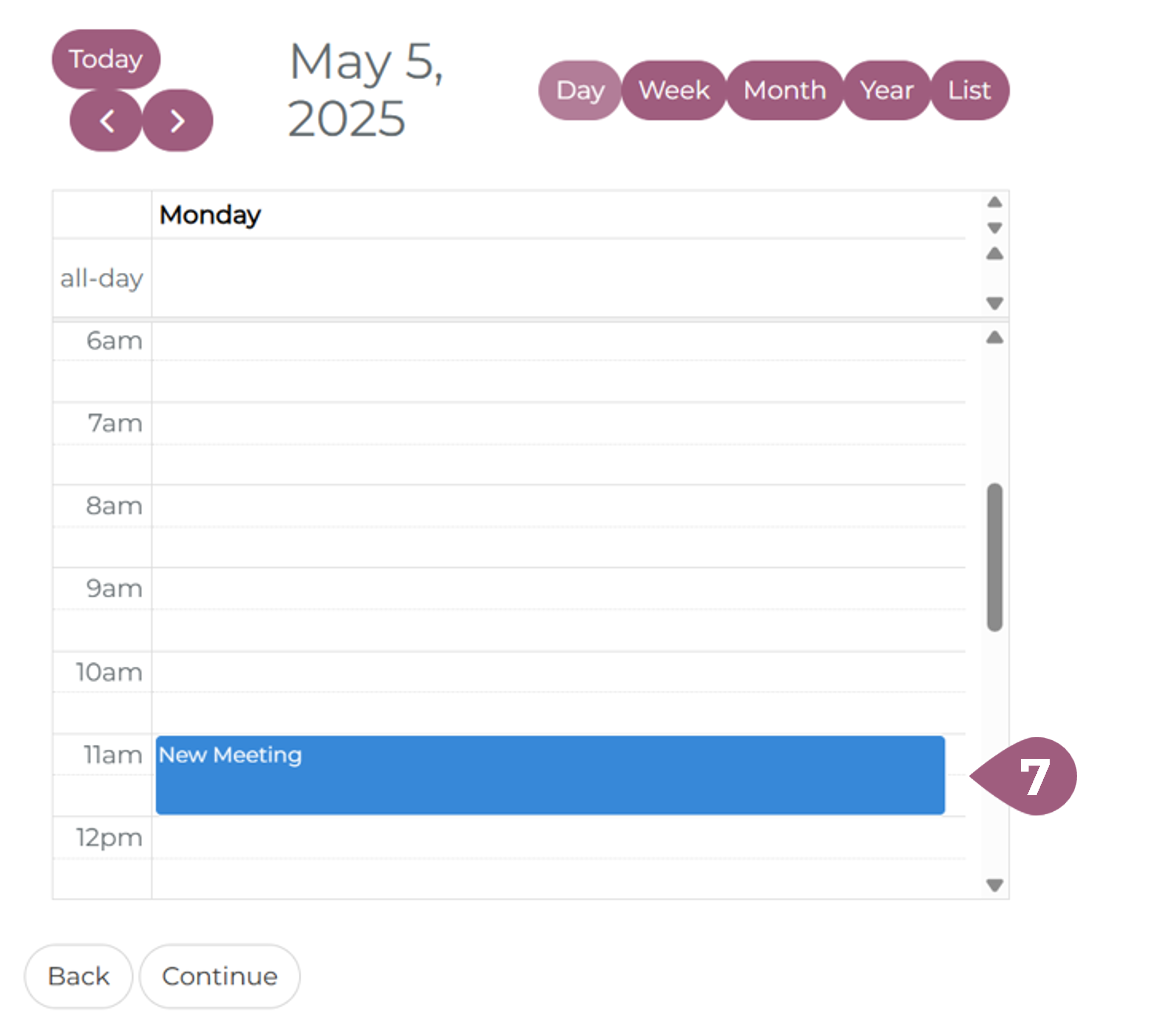
The last element is the calendar (7), which shows which other meetings are booked for the same location on the same date as the meeting. More on managing rooms and locations can be found under: Seminars: Create and Manage Rooms and Seminars: Create and Manage Locations (both coming soon!).