Colors for emails
Under Administration > Settings > Configuration > Colors and Menus, you can customize the colors for email messages sent from your LMS:
1. Main background (header and footer): This refers to the color of the header and footer (red in the following screenshot):
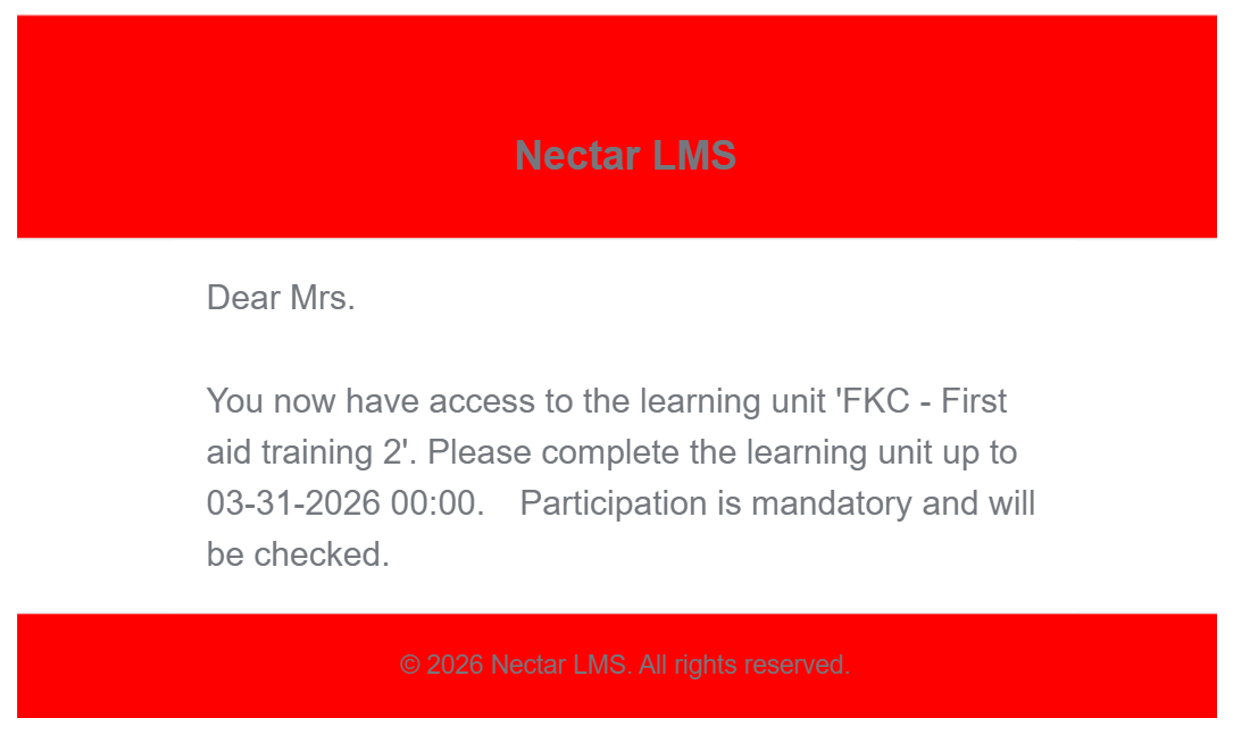
2. Main text (header and footer): This concerns the color of the text in the header and footer (grey in the screenshot above n.1).
3. Message background: This concerns the color of the message background (red in the following screenshot):
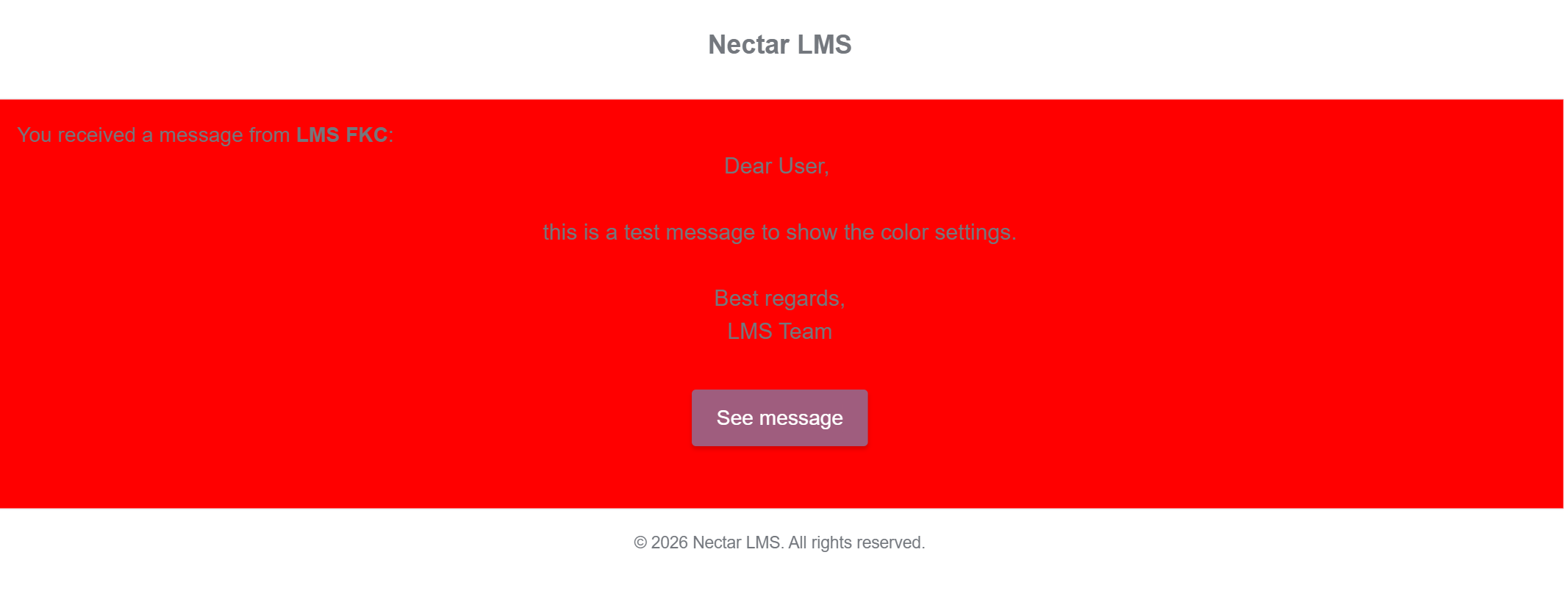
4. Message text: This concerns the color of the automatic sentence containing the message sender in the message (red in the following screenshot):
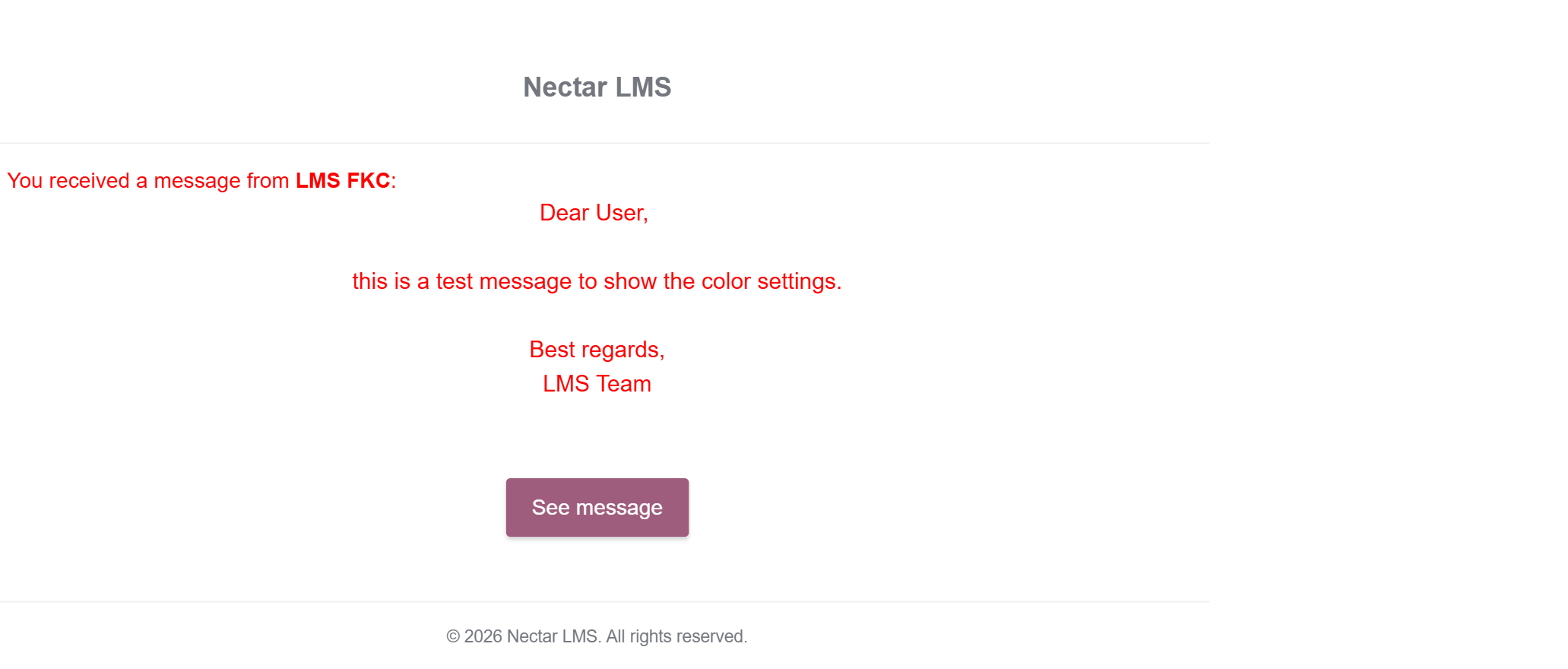
5. Button background: This refers to the background color of the button that leads directly to the LMS message (bourdeaux in the screenshot above n.4).
6. Button text: This refers to the text color of the button that leads directly to the LMS message (white in the screenshot above n.4).