Configuration: Gamification
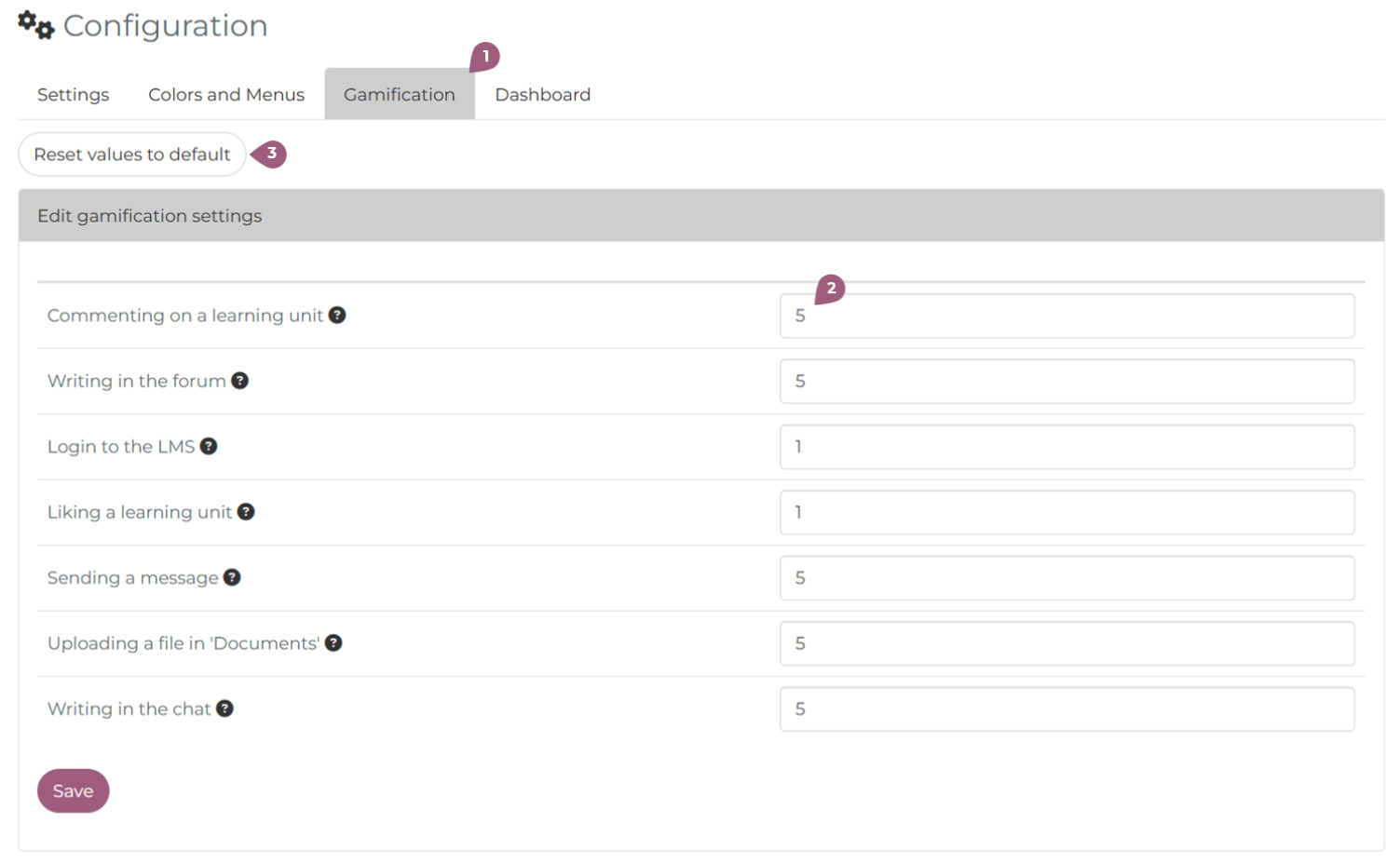
Under Administration > Settings > Configuration > Gamification it is possible to active the gamification points in nectar LMS (1). Here, it is possible to give individual actions in the LMS a point value, provided the function is activated (2). Actions include: commenting on a learning unit, writing in the forum, login to the LMS, liking a learning unit, sending a message, uploading a file in “Documents”, or writing in the chat. It is also possible to set all values back to zero (3).
The number of point given when completing a learning unit is set in the learning units’s settings in the field “Points.”
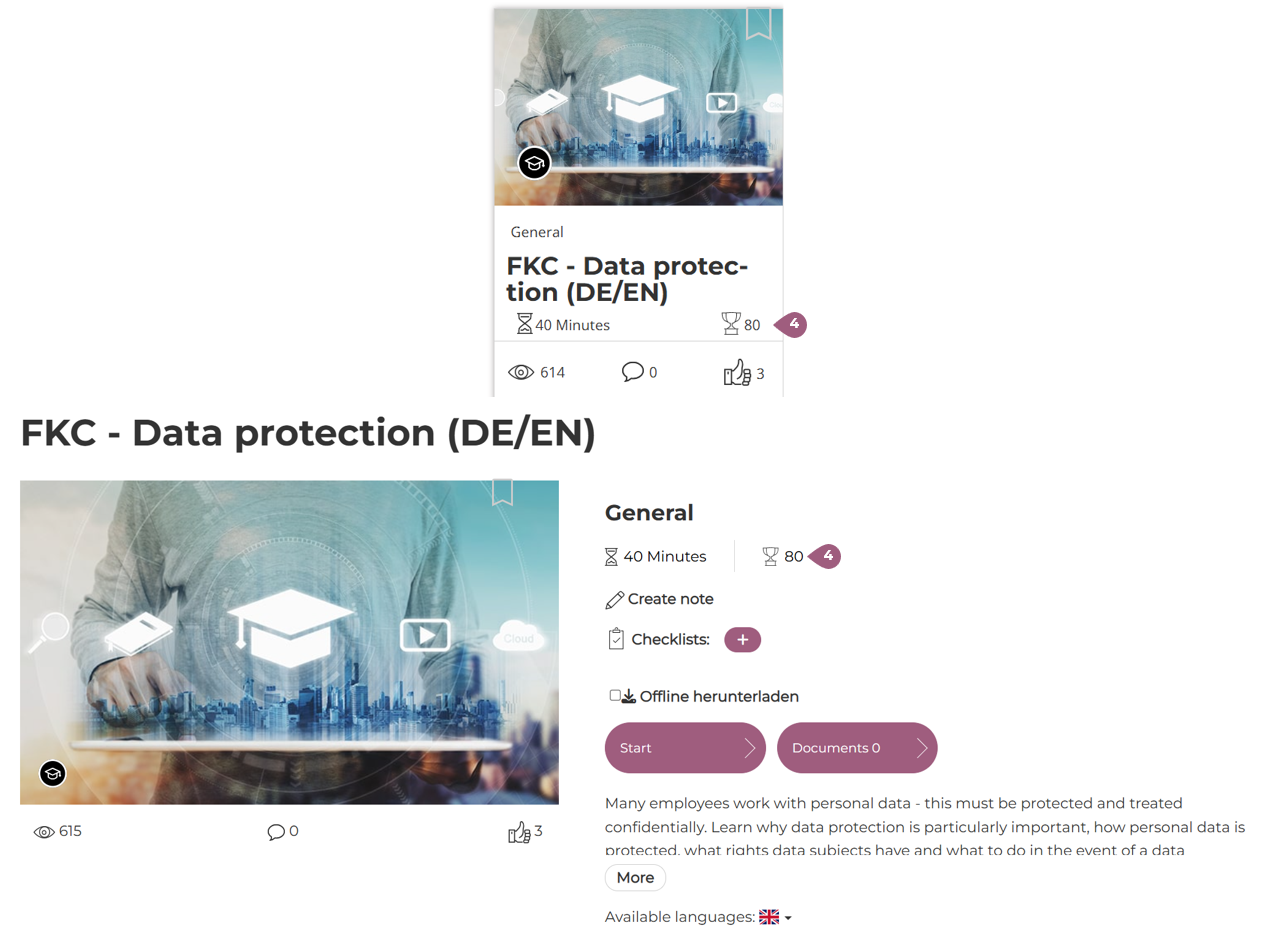
Gamification points by learning units are visible on both the tile on the course overview page and on the learning unit overview next to the trophy symbol (4).
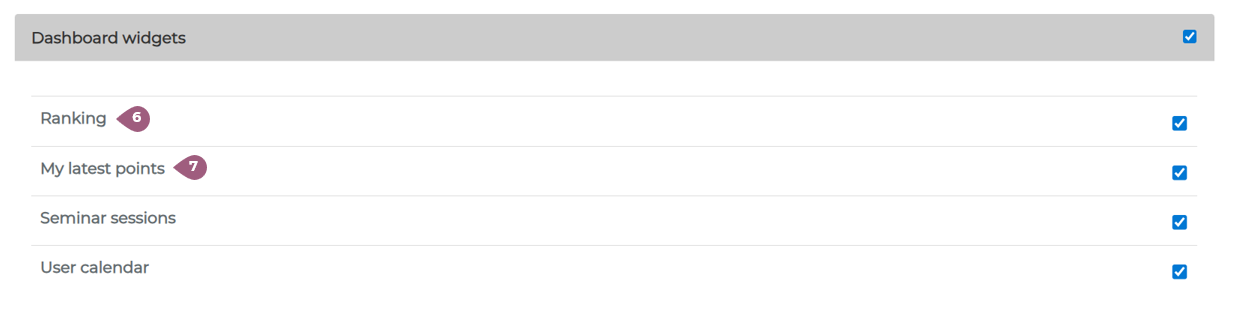
Users can see their point total in the header bar next to their profile photo (5) or on their personal dashboard as “Ranking” (6) or “My latest points” (7).
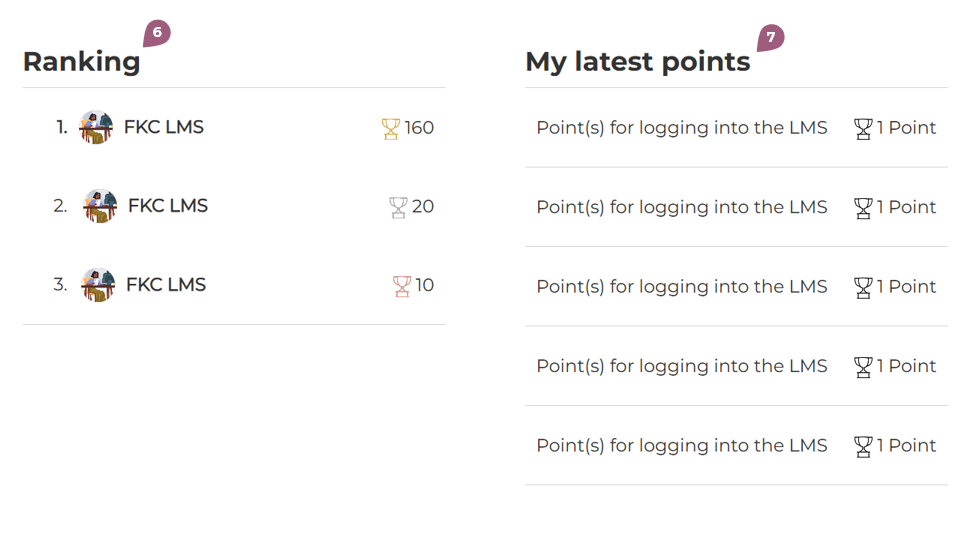
The widgets “Ranking” and “My latest points” must be activated under Administration > Settings > Configuration > Dashboard for users to see this information on their dashboard.