Configuration: (Global) System Messages
Available starting from version 5.1, it is possible to create system messages that are not connected to a learning unit. These can be created and managed under the tab “System Messages” (1).
For each message, an event (2), system message (3), time (4), and recipient (5) must be selected. The possible events are: New forum post created, New news article created, User last login, and User account created. Any user-defined system message can be selected for the message. Go to System Messages to learn how to create user-defined messages. Global messages can be sent either immediately after the trigger event occurs or a given amount of time in days or hours later. User groups “Learners” and “Supervisors” can be selected as system participants, as well as users with the role Administrator or Superadministrator.
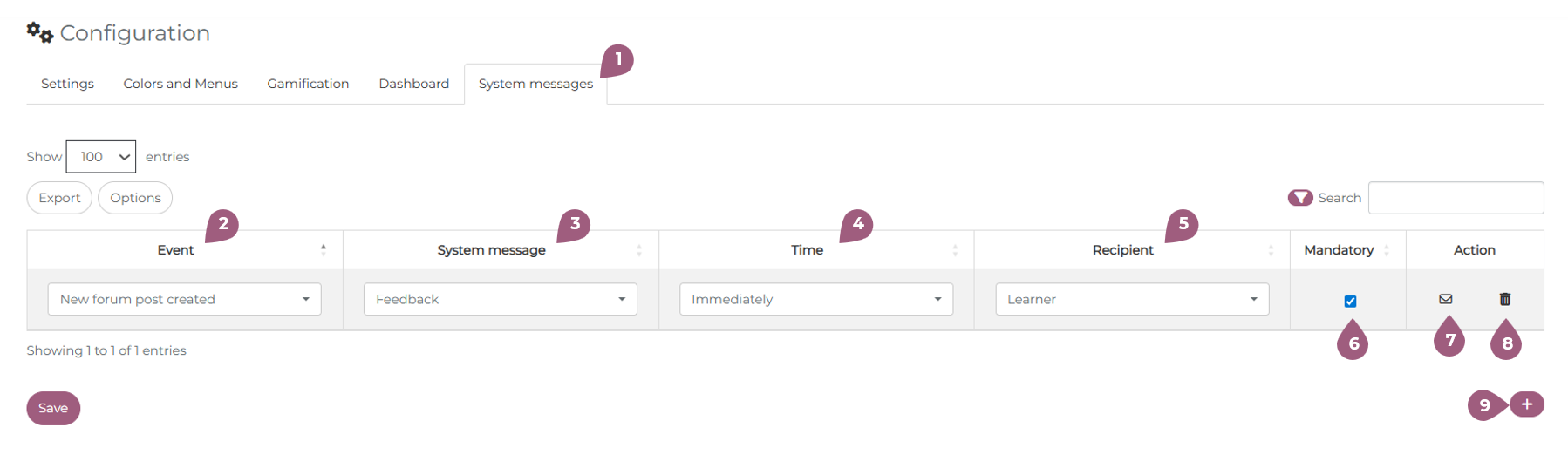
Using the mail symbol, a preview of the message will be shown (7). The message can be deleted using the trash can symbol (8). New messages can be added using the plus symbol “+” (9).
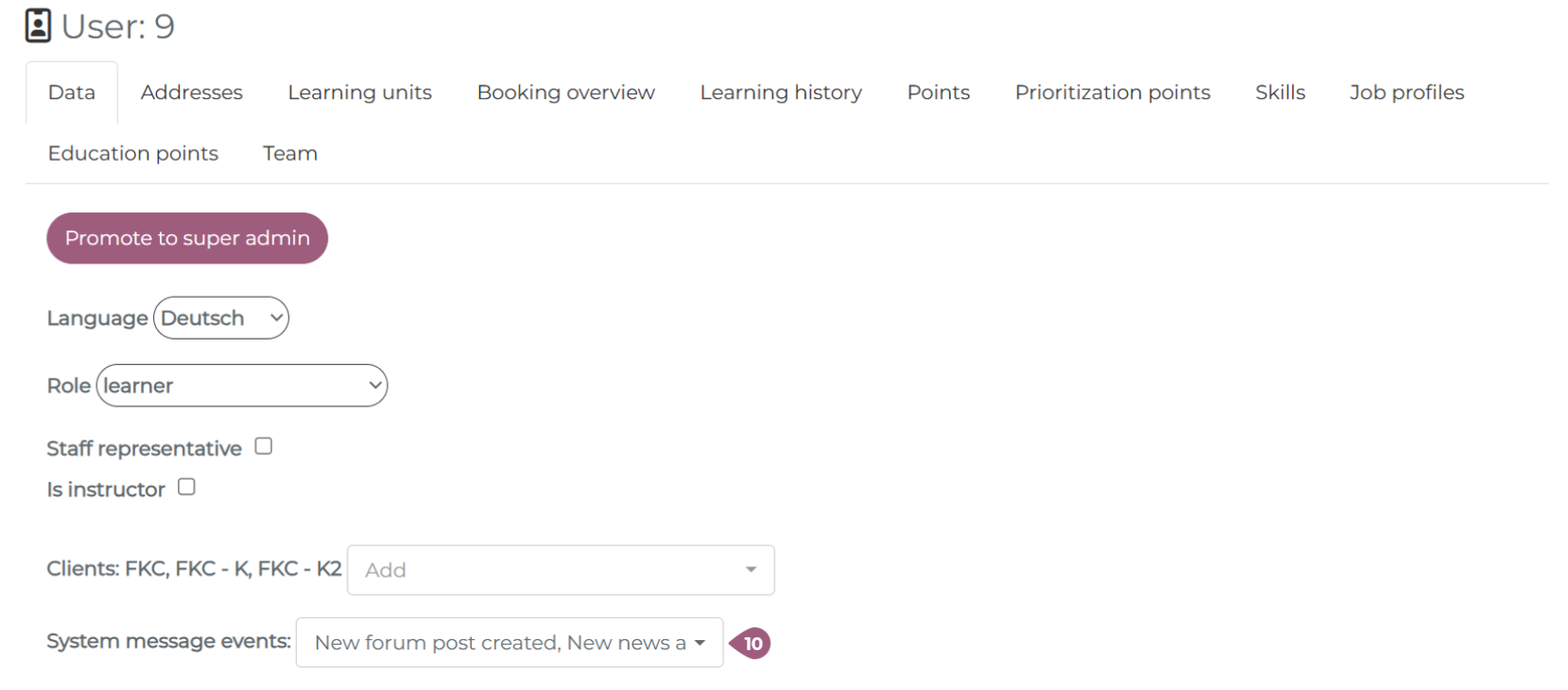
Mandatory messages will be sent to all users, regardless of their “subscription” status (6). Learners can subscribe to different mail events in their user profile, ensuring that they are notified each time a message is sent to the corresponding category (10). Learners can opt in or out at any time.