News
Under Administration > Communication > News it is possible to send news to users in your LMS. This notification will appear under the “News” tile on the main menu or the learner dashboard. News items cannot be sent by email. E-Mail messages about news items can be activated with the global system messages function.
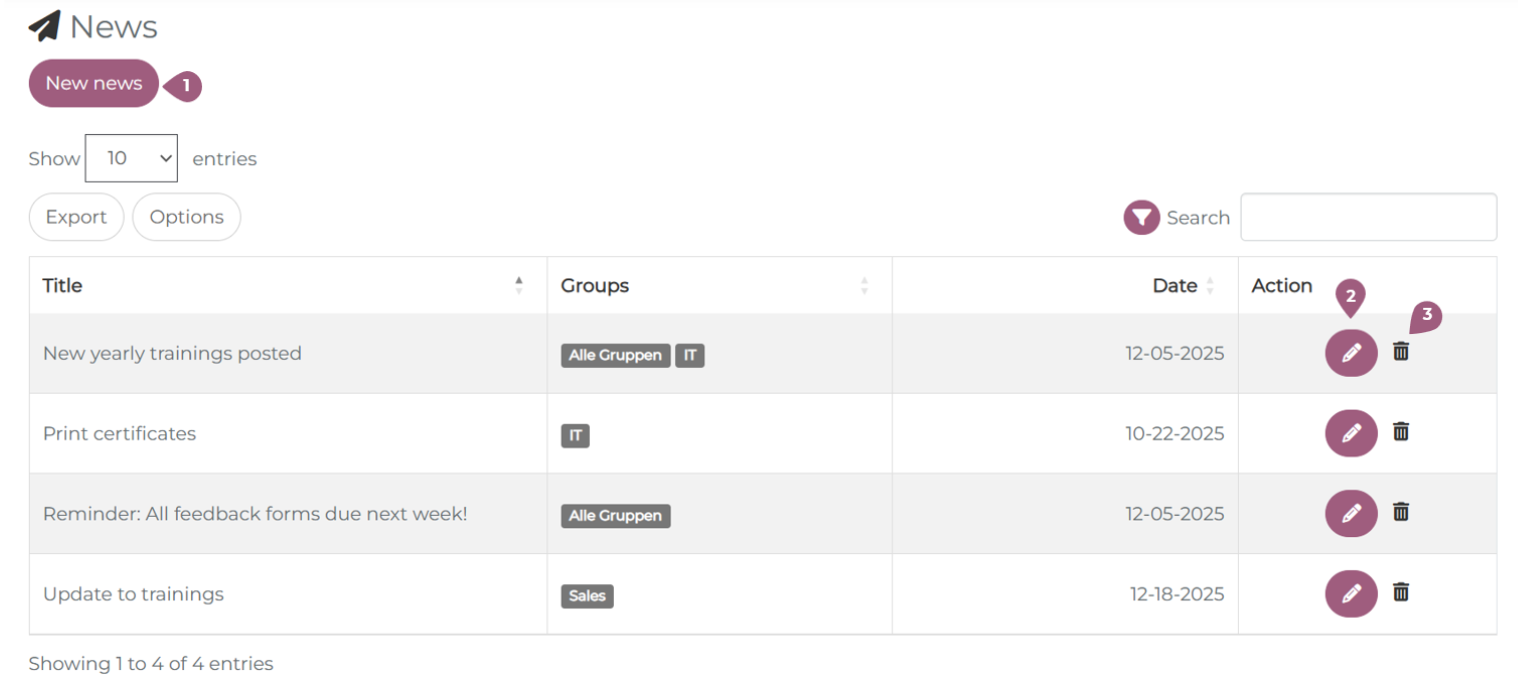
On the news page, it possible to create a new news item (1). All existing news messages are shown in the overview table with the title of the news, the groups to which it was sent, and the date on which it was sent. Each news item can be edited (2) or deleted (3). Edits made to a news item that is already sent will automatically be applied to all news items in the LMS. When a news item is deleted, it will also be deleted for the recipients.
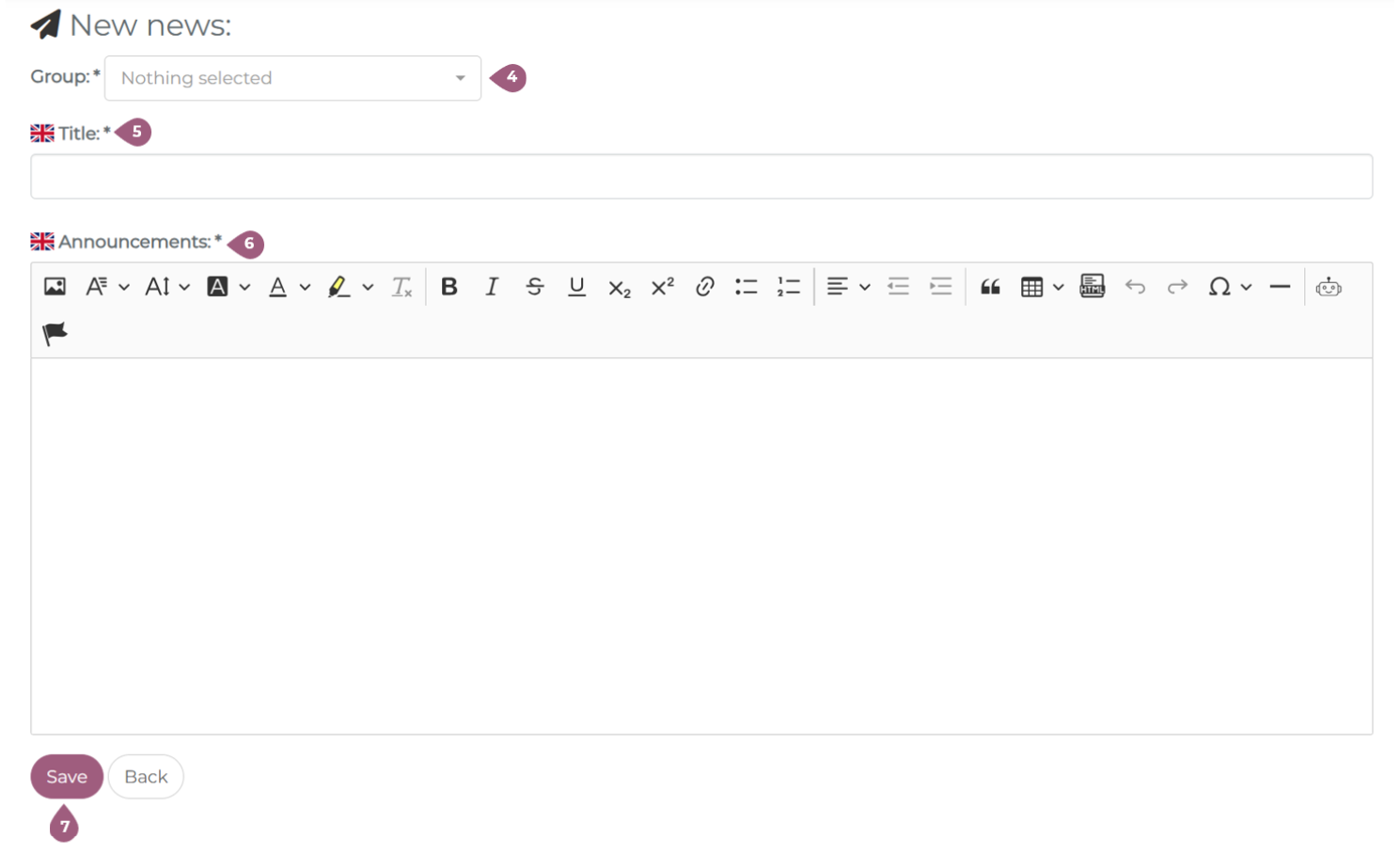
Each news can be sent to one or more groups of learners (4). If a learner is in multiple groups, they will only receive the news item once. Each news item also requires a title (5) and a body (announcements) (6). With a click on “Save,” the news item will be sent to the selected user groups (7).