Chatroom
Under Administration > Communication > Chatroom, it is possible to see all active chats in the LMS. Chat can be activated either in the group settings for the individual groups or in the learning units settings when the setting “Chat for learning units” is activated. Learners’ chats are limited by group and learning unit availability.
Note: All group-specific chats will be shown in the administrator view for chat rooms, even if they are neither visible nor accessible to learners.
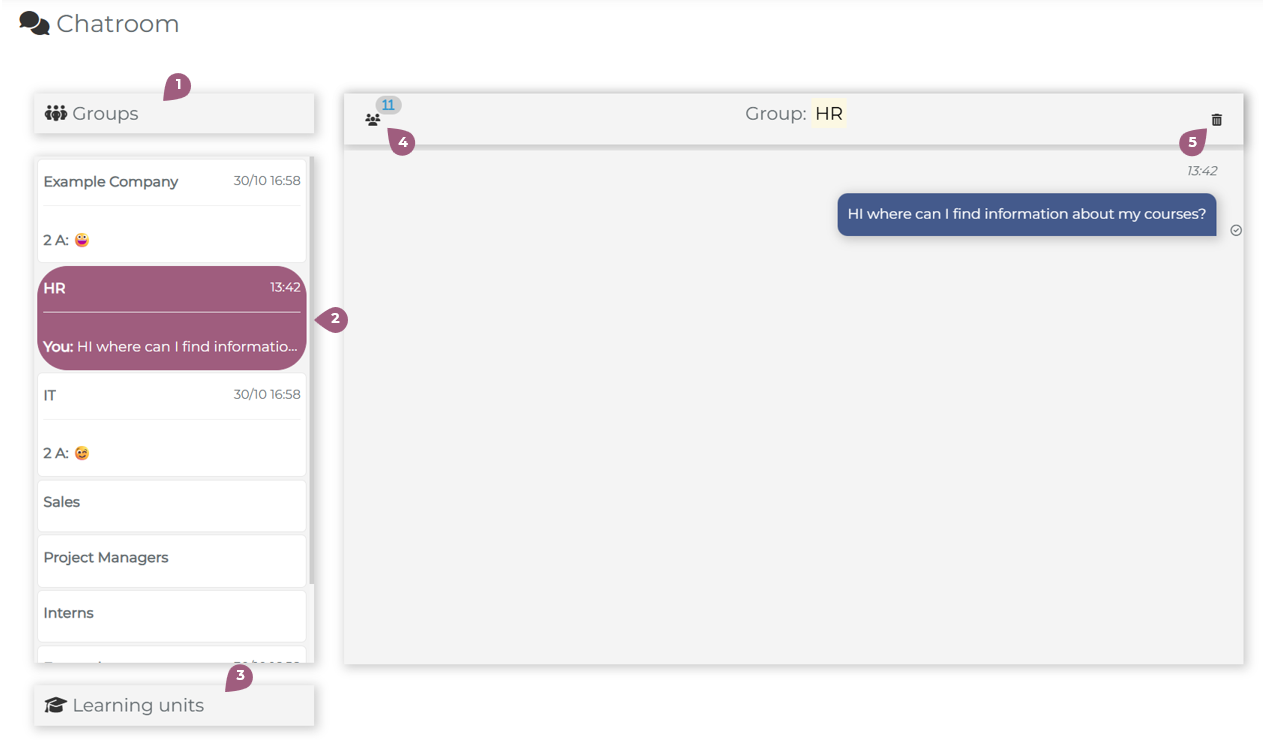
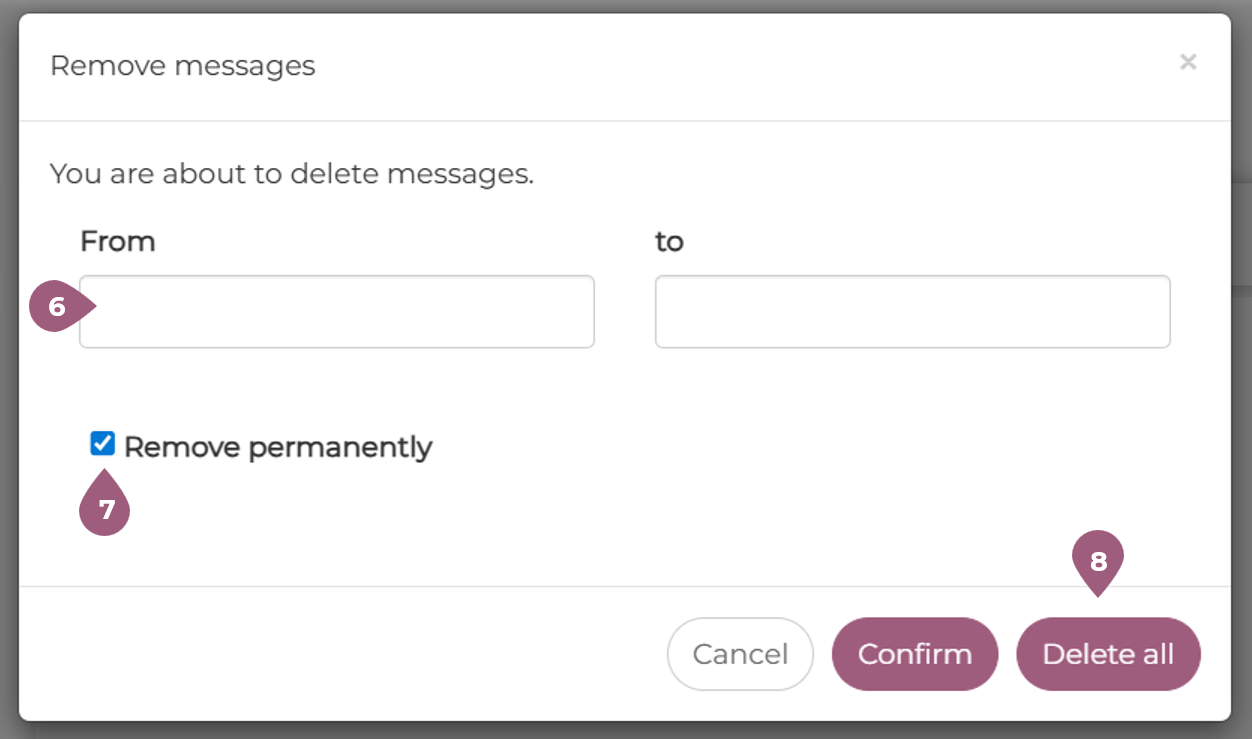
Chatrooms are divided into two groups: Group specific chats (1) and Learning Unit specific chats (3). In the Administrator view, it is not possible to participate in chats, only monitor them (2). Next to each chat, the group members with access are displayed, as well as their activity status in the LMS (4). Chats can also be deleted (5). Messages can be deleted within a certain time range (6), all messages can be deleted (8), or messages can be permanently deleted (7). Permanently deleted chats are also no longer stored in the databank and cannot be retrieved at a later time.