Who is online?
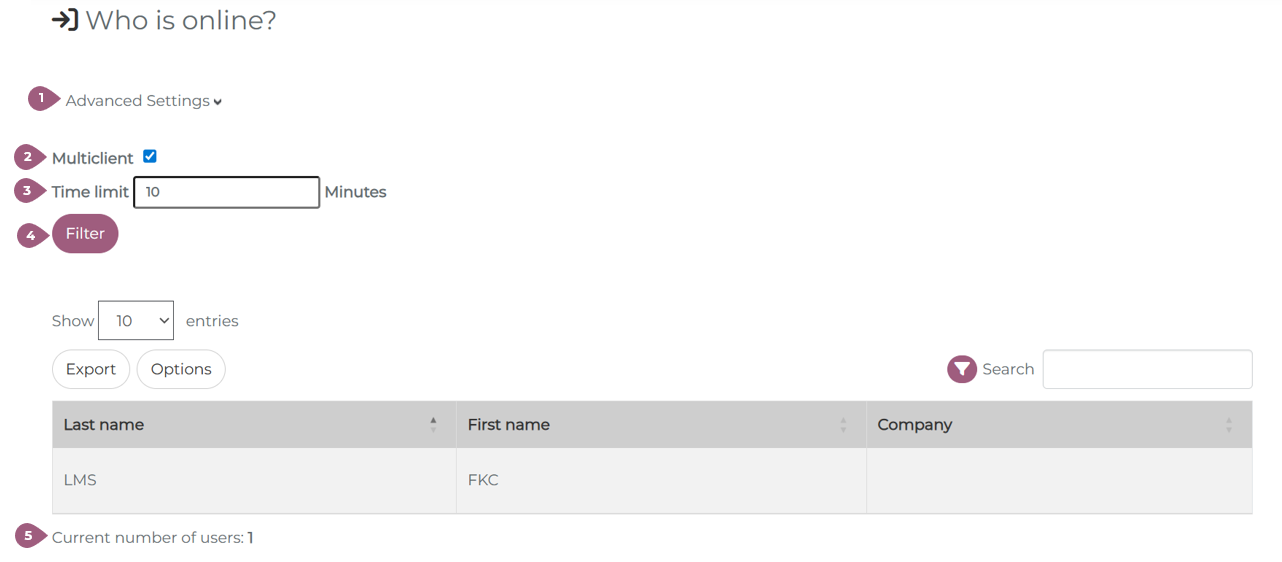
Under Administration > Users > Who is online, you can see which users are currently logged in. When users log out, they are no longer displayed in the list.
Under Advanced Settings (1), multiclient can be activated to show all users across the LMS, not just those on the current client (2). This is reserved for users with cross-client rights. A time limit can also be defined to see who was online in the given time (3). With a click on “Filter” all users will be shown (4). Under the table, the total number of logged-in users is shown (5).