Create and Manage Resources
(Physical meetings only)
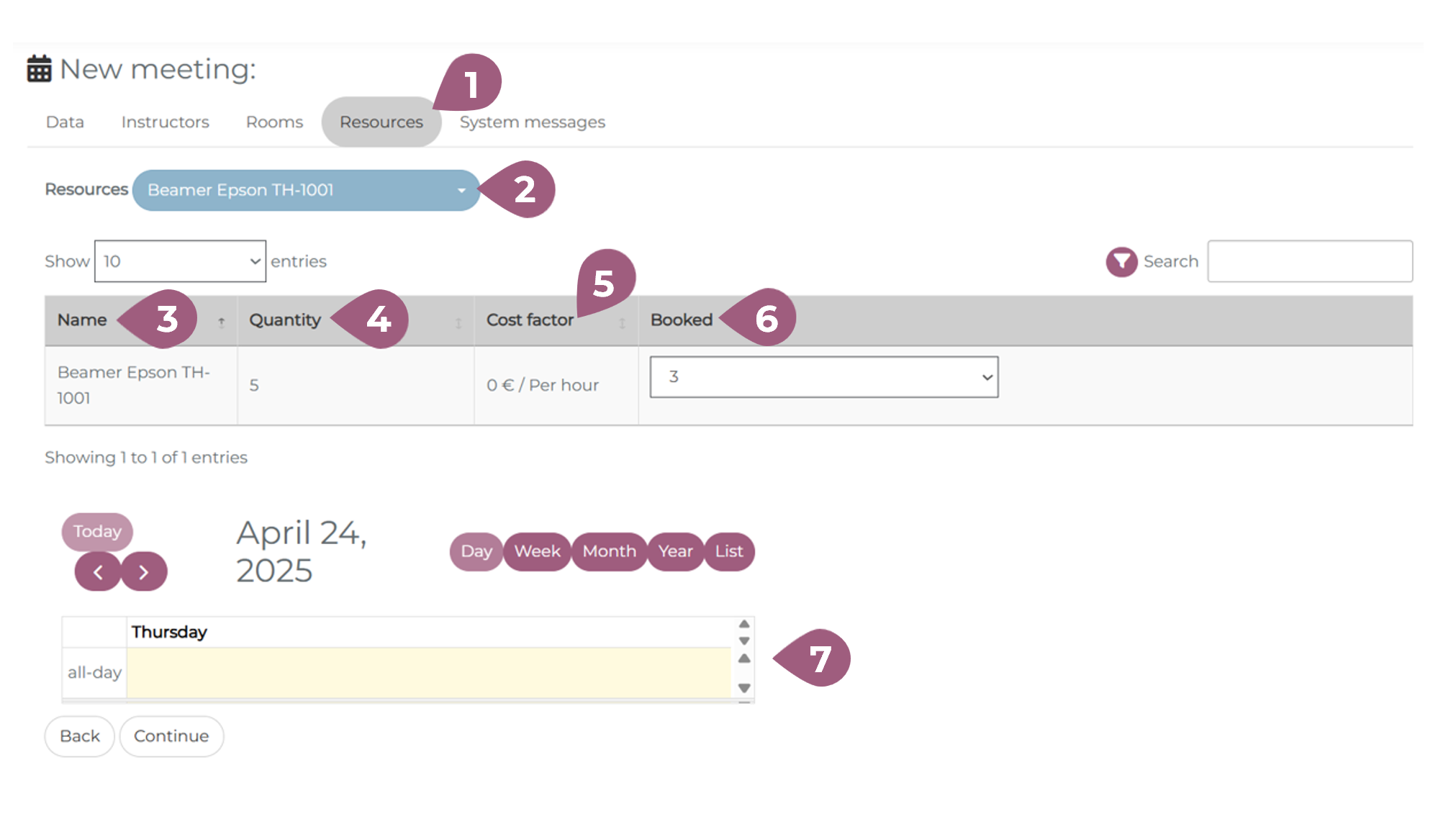
For physical meetings, it is also possible to manage the resources available in a given room or location. In the “Resources” tab (1), you choose the desired resource in the drop-down menu (2). The table below shows the name (3), quantity (4), cost (5), and number of the item booked (6). The calendar below (7) shows the resource availability on the given day. More information on managing resources can be found at: Managing Resources – coming soon!