Create a meeting: Instructors
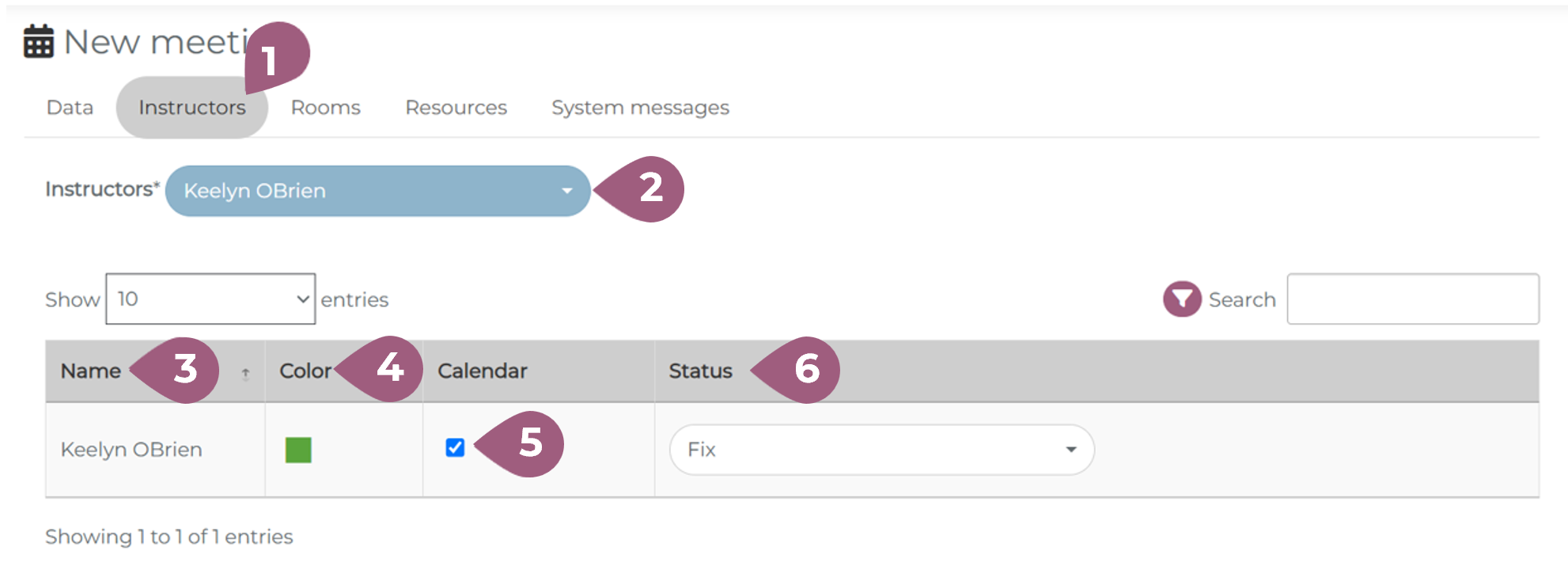
After the data tab, you will need to enter the required information about the instructor(s) (1). The instructor(s) can be selected using the drop-down menu (2). In order to see an instructor in the drop-down menu, they must be first given the role of instructor. For more information on user roles, see: Assigning User Roles – coming soon! The summary table includes the name of the instructor (3), the color (4) that is assigned to the instructor by the LMS, the option to display the instructor’s schedule in the calendar (5) and the status of the instructor (6).
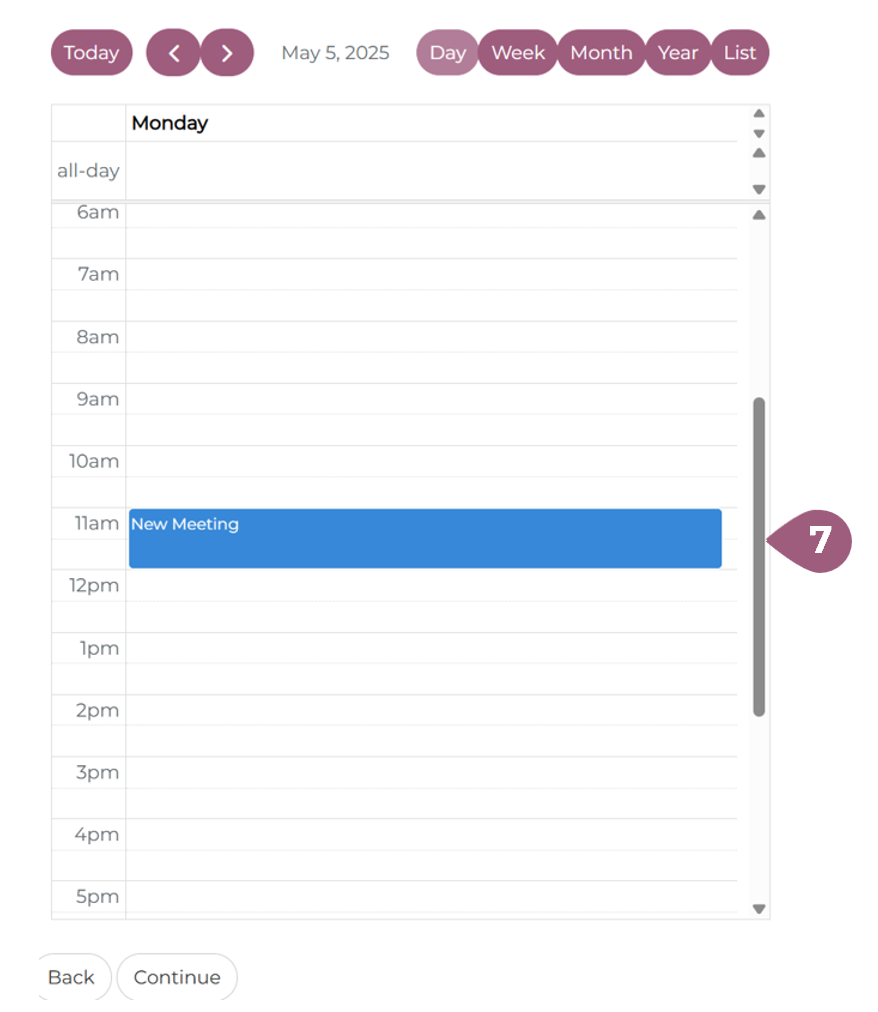
The schedule of the instructor for the given time period is visualized in the calendar (7). To go to the next page, click on continue.
Futher information about instructors can be found at: Instructor Management – coming soon!