Graphic Learning Paths
The new “graphic learning paths” feature is available as a paid add-on.
The graphic learning paths allow for a visual representation of the content of a curriculum or learning box. You can individually position and flexibly connect the learning units (items) on a background image that you define/upload yourself – entirely according to your didactic requirements.
The following design options are available:
- The title and description of the curriculum or learning box can optionally be displayed and customized with different colors.
- Within the learning units/items, you can:
- Show/hide titles
- Insert an image as a background
- Adjust the background color
- Adjust the borders
- Adjust the text alignment
- Adjust the color and size
- Define hotspots with three status symbols
- Adjust the color and thickness of the connecting lines between the learning units.
Graphic learning paths are particularly suitable when learning content should not only be structured but also presented in a visually appealing and intuitive way.
An example is shown in the following screenshot: Users can directly start all learning units (1-11) from this view:
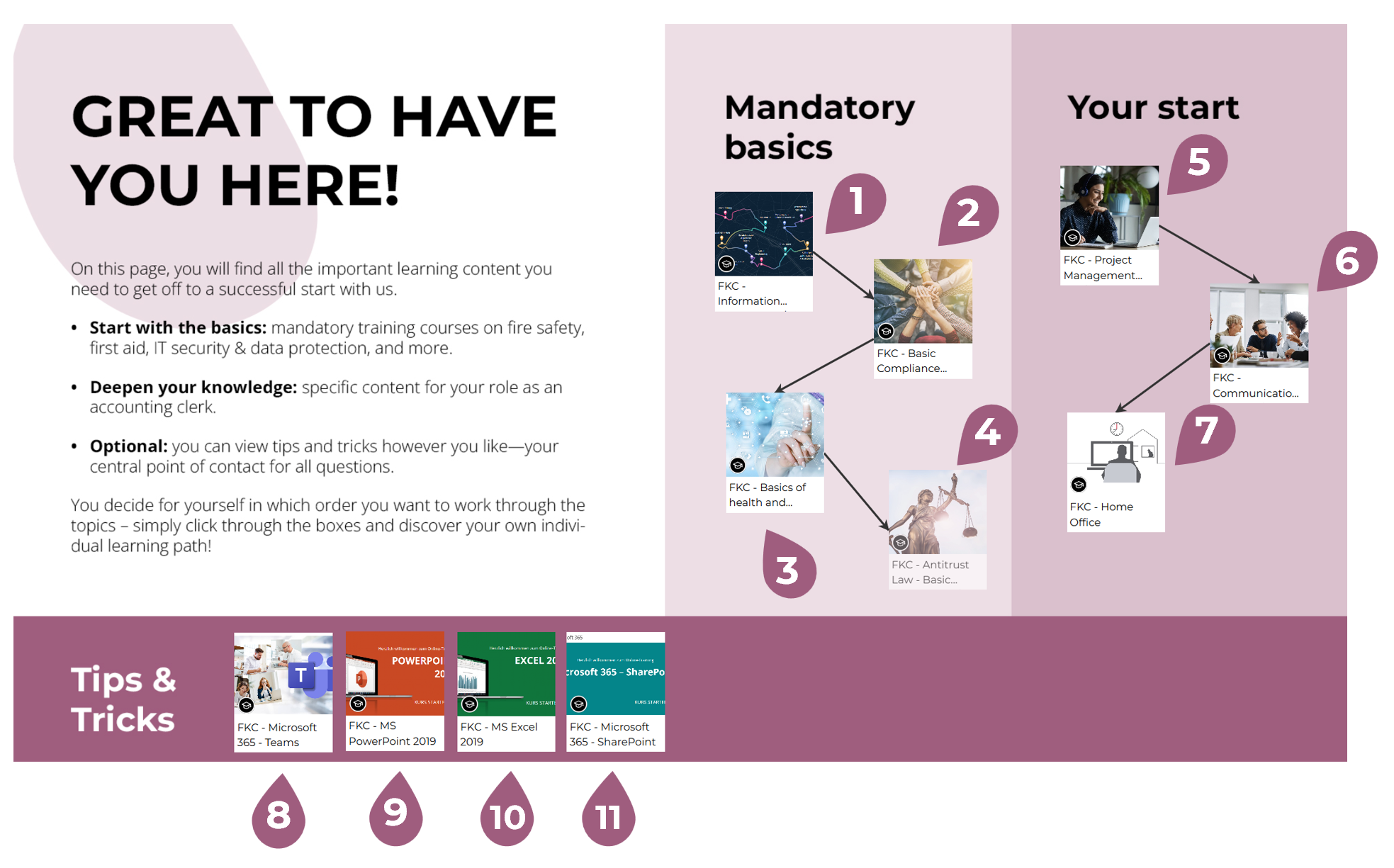
In this example, learners see the required units (1-4), additional learning units relevant to their role (5-7), and supplementary learning units as tips and tricks (8-11).