Limited Access
Under Administration > Users > Restricted Access, you can view an overview of the people and learning units for which access has been restricted in the advanced settings.
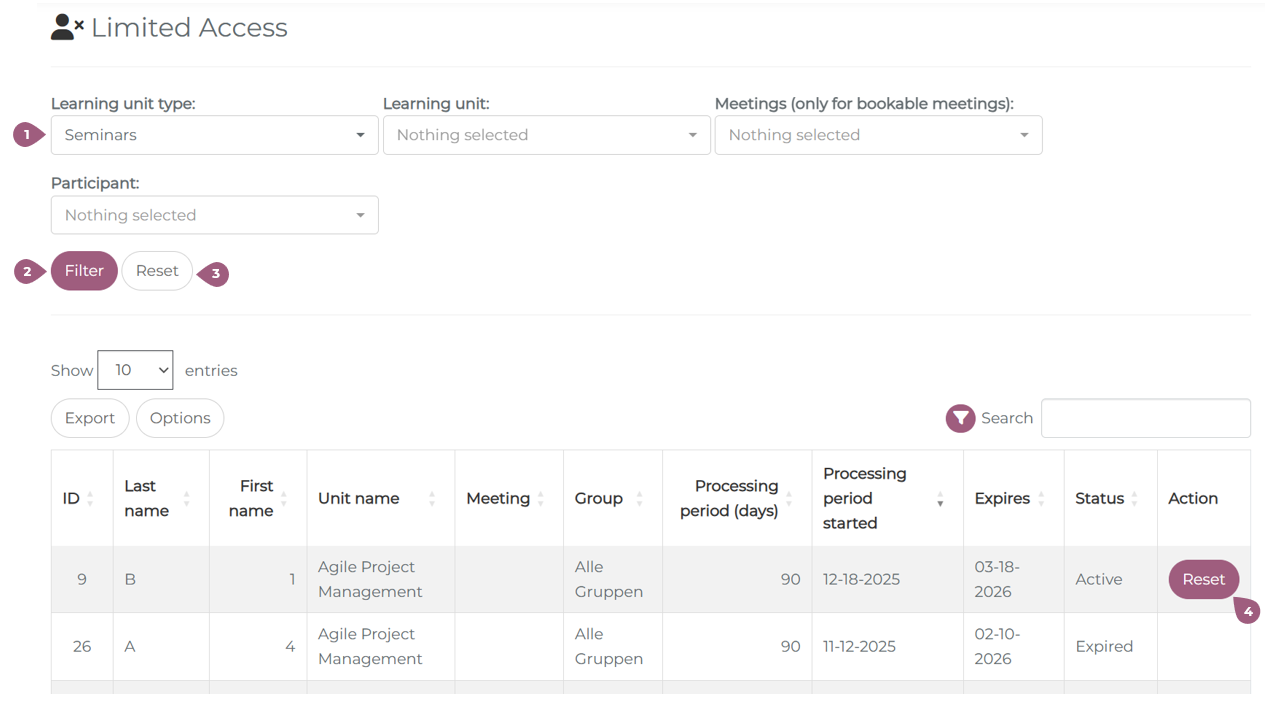
Here, you can first filter by learning unit type and then narrow down your search to specific learning units and/or participants (1). Only bookable meetings can be filtered.
Clicking on “Filter” (2) displays a table with information about the user, the unit, and the processing status, which can be exported as an Excel file using the export button. A click on “Reset” clears all filters (3).
If a processing period has been defined for learning units with restricted access, this can be reset individually in the “Action” column (4). This gives the user access to the learning unit again.