Notice of Work
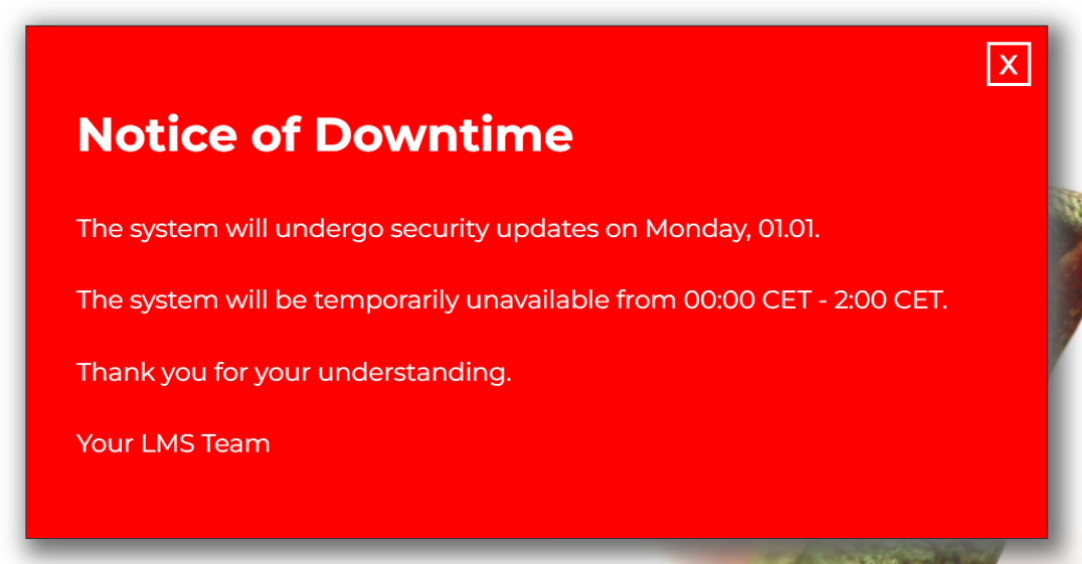
Under Administration > Superadministrator Settings > Notice of Maintenance Work, you can activate a notice that will immediately be visible to all users upon login. The title (1) and body text (2) can be typed directly into the respective boxes. You can also customize the color of the text (3) and the background (4) of the box.
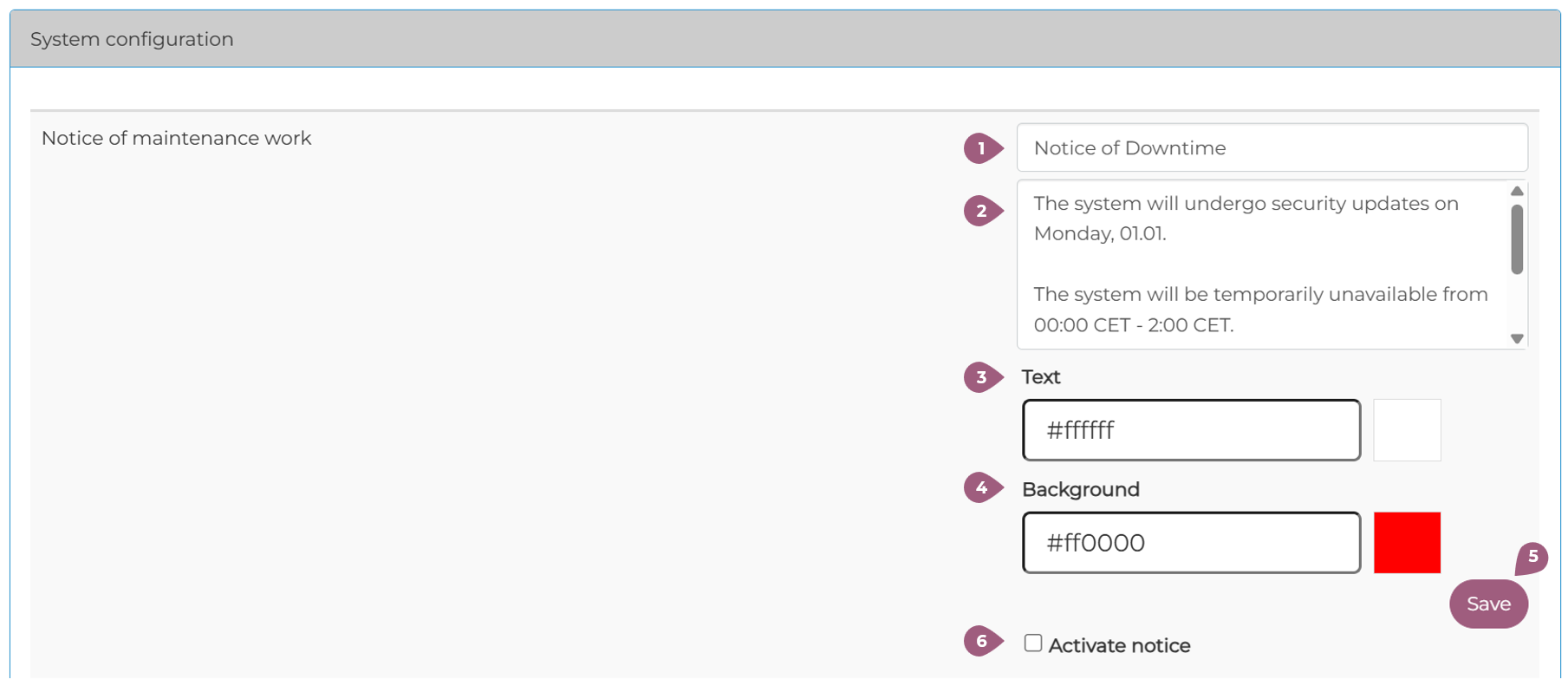
To save your changes to the message, click Save (5). When the Activate Notice checkbox is selected, the notice will be displayed to all users in the system (6).
Note: Only text can be inserted into this box; adding links is not supported.